The AI customer service inbox for AI and human teams

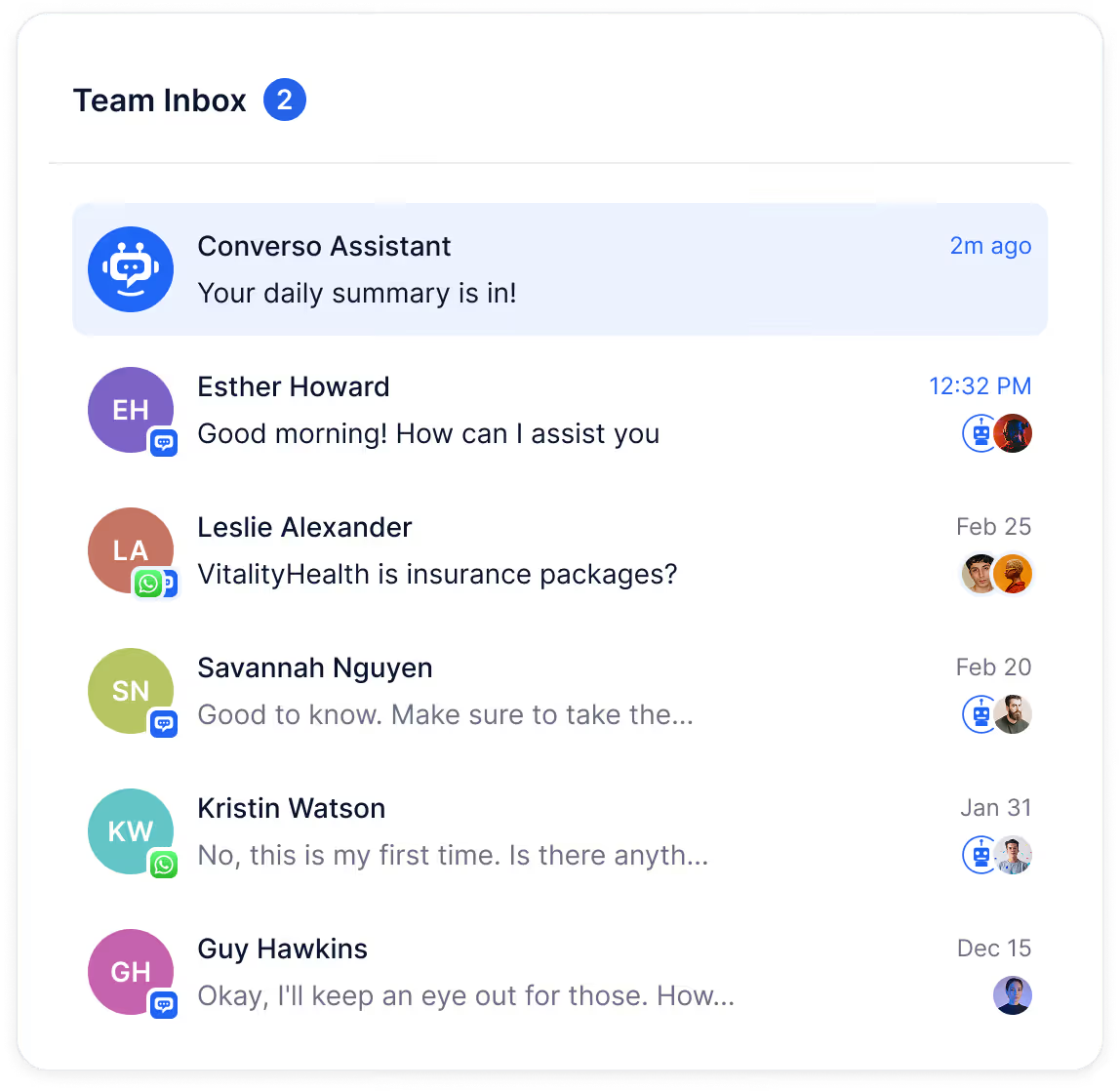
Stop switching between helpdesk tools to manage customer support

One thread per customer

Full context

Assign and collaborate

Every channel, one view
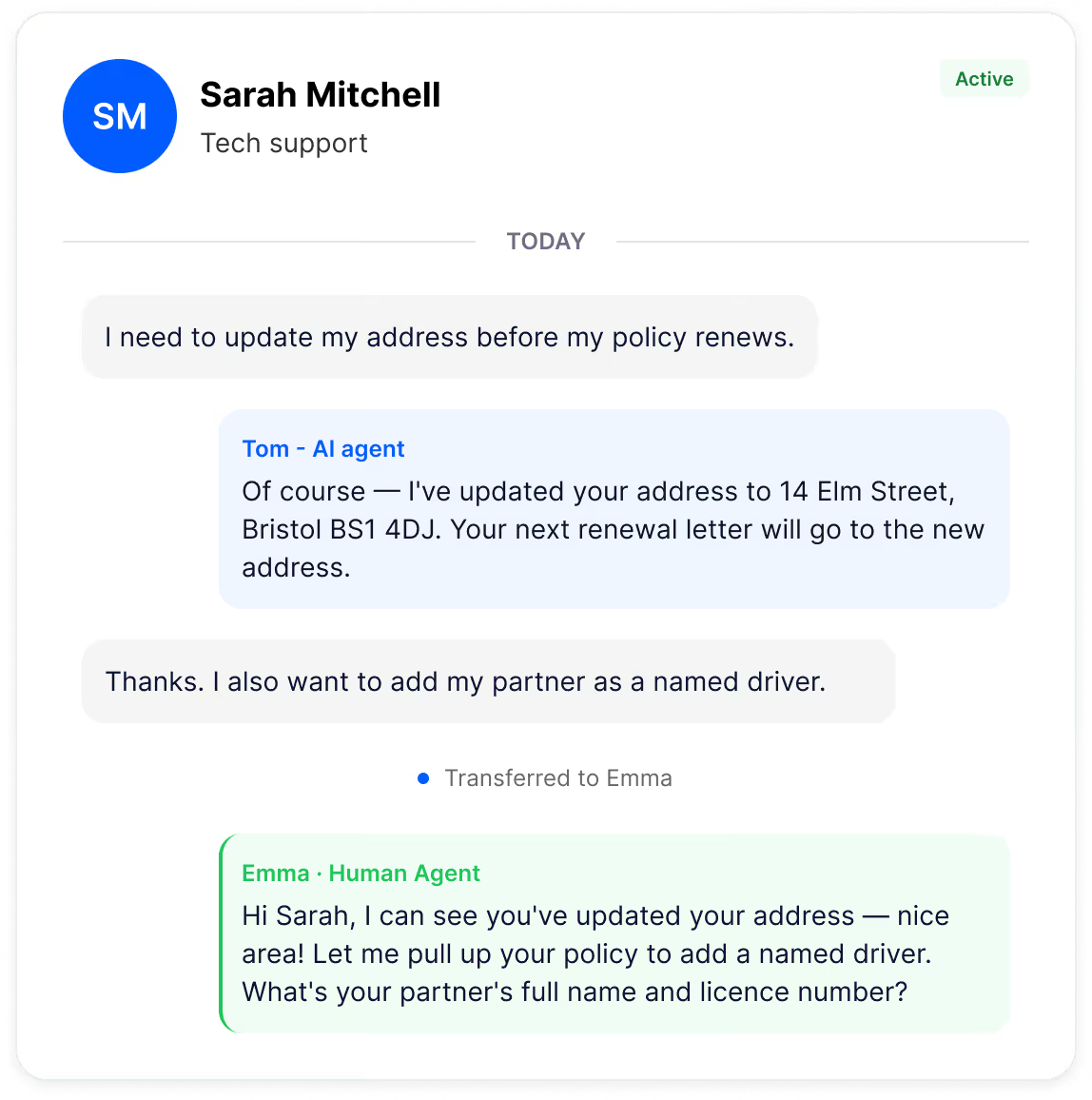
AI-to-human handovers with full context

Complete AI-to-human conversation history visible
Context preserved across AI agent ↔ human agent
Your team resolve issues and closes opportunities faster
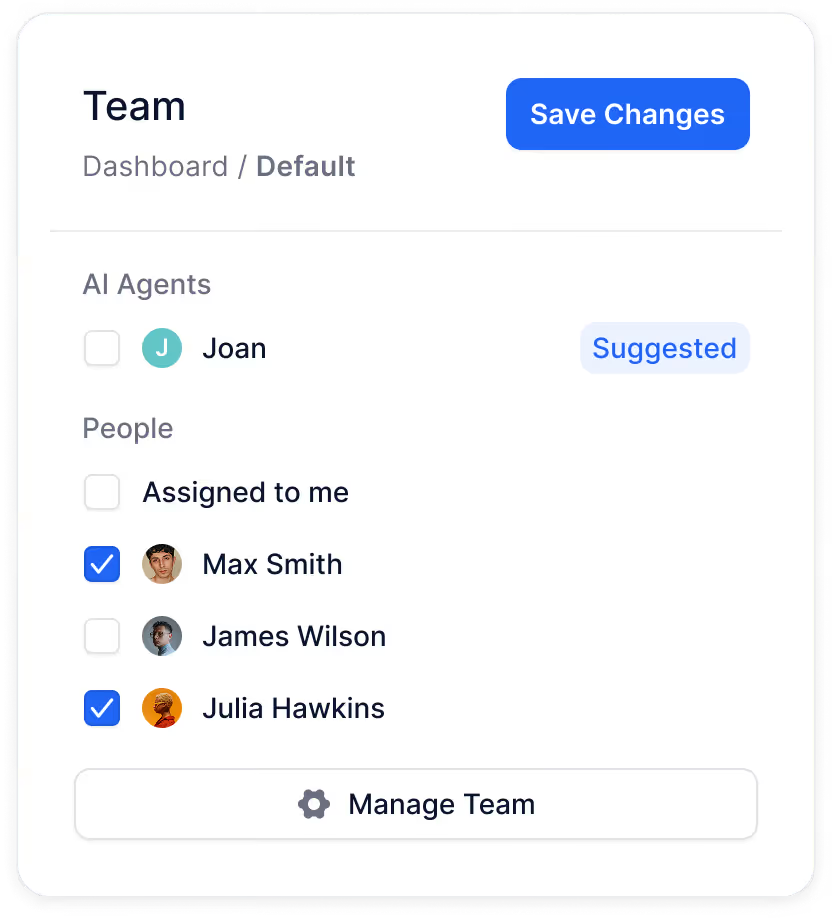
Team inbox management - assign, prioritise, and resolve
Assign customer conversations to specific team members
Personal My Inbox for each agent's assigned chats
Visibility into human and agent workloads and resolution status
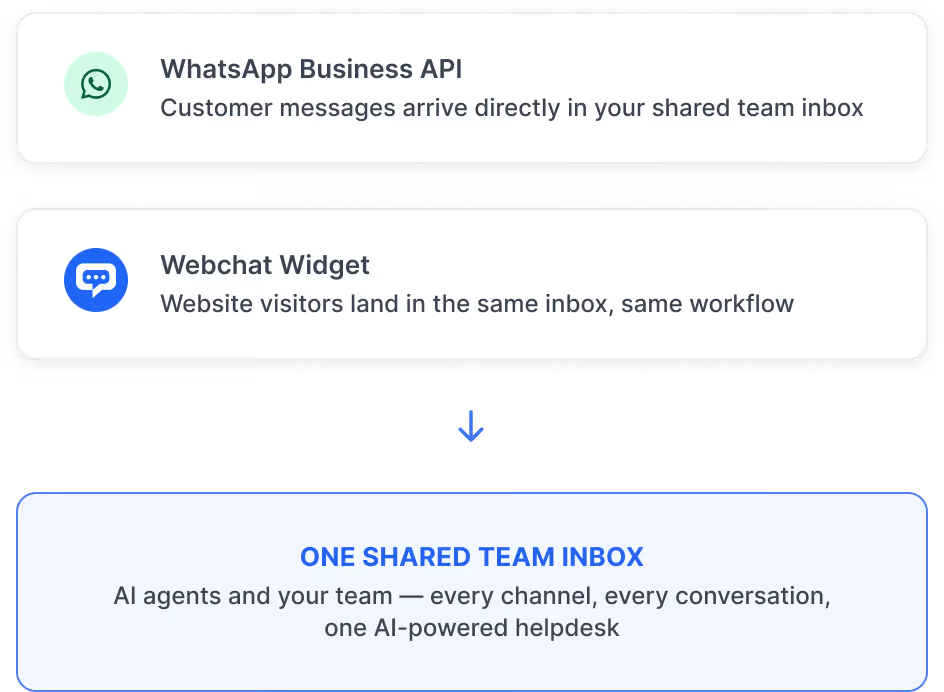
WhatsApp Business and webchat in one AI-powered inbox
Consistent AI customer service experience across channels
WhatsApp Business Platform integration built in
Close resolved conversations and stay focused
Frequently asked questions
Most AI helpdesk software treats AI and human conversations separately. Converso's shared team inbox puts them in the same workspace - AI agent and human replies appear in one thread per customer, with full context carried across every handover. It works for support and pre-sale conversations alike.
Yes - the complete conversation history is visible at all times. When a chat is handed over from the AI agent, you see every message exchanged with the customer, so you never have to ask them to repeat themselves.
You can assign conversations to specific team members, track ownership and resolution status, and view each agent's workload. Assigned conversations appear in the assignee's personal My Inbox, so nothing gets missed.
WhatsApp (via the WhatsApp Business API) and webchat are supported today, with more channels coming soon. All conversations from both channels appear in a single unified view - no separate helpdesk tools required.
Yes - a notification appears in the chat, together with the name and picture of the agent. The customer stays in one continuous conversation thread. Handovers are smooth - there's no disruption, no new chat window, and no need to re-explain the issue.
Yes - add internal notes to any conversation for other team members to see. Notes are private and never visible to the customer, making it easy to hand off context between colleagues.
.svg)
AI-powered customer support starts with one shared inbox
Get started in minutes.

.svg)
.svg)
.svg)